
By Zeng FengMyCarWhy EditorialUpdated
Best Bluetooth OBD2 Scanner
For most US drivers who already scan from a phone, buy the BlueDriver Bluetooth Pro when you need enhanced ABS, SRS, or TPMS on a supported make. Pick FIXD for plain-language explanations, or OBDLink CX as a leave-in adapter. Skip Bluetooth if the phone stays dead or the lamp is a charging warning.
This guide compares those three verified Bluetooth adapters by enhanced modules, subscription posture, and leave-in behavior. It is a buying map, not a lab test. Feature claims come from the manufacturer and Amazon listings linked here. For a no-phone handheld, see best code reader for cars. For the BlueDriver, BD200, and AD310 ladder, see best OBD2 scanner for check engine light. Sort a no-crank first with why my car won't start. If power drops while you are already moving, start with why a car would lose power while driving.
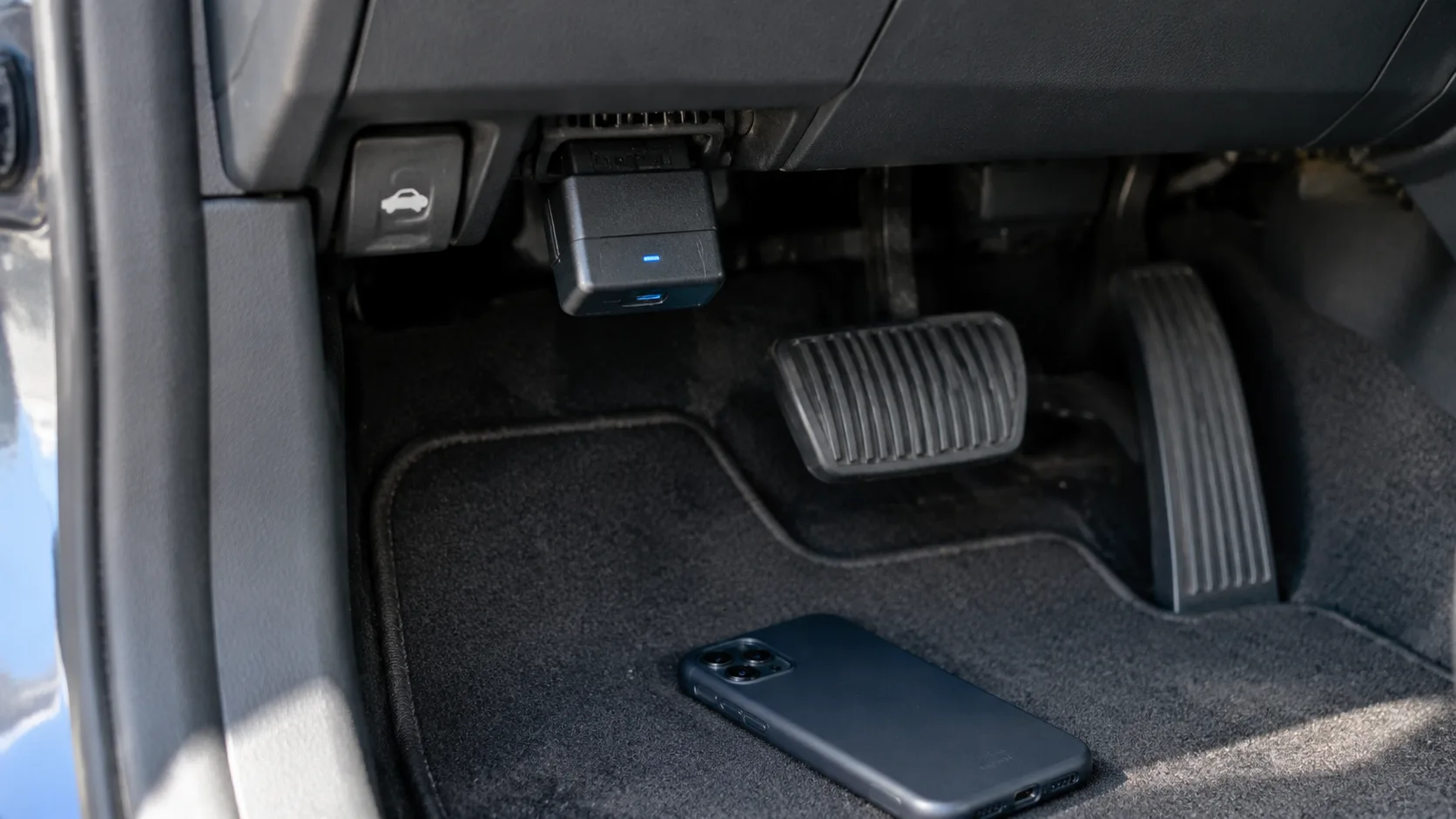
Should you buy a Bluetooth OBD2 scanner for this light?
Bluetooth is a delivery method. The job is still to read a powertrain code, watch live data, or reach enhanced modules on a supported car. A phone-app adapter is the right buy when the car already key-on powers the port and you will keep the phone charged in the driveway.
- Steady check engine light and the car drives: Bluetooth is on point if you accept an app.
- Flashing check engine light with a severe misfire: ease off the throttle, then scan. Do not clear the code and keep driving hard.
- ABS or airbag light only: useful only if the adapter and app list enhanced coverage for your brand.
- No crank or a dark dash: wrong first purchase. Sort the no-start before you shop a dongle.
- Battery or charging lamp while the engine runs: wrong tool. That path is voltage and a car battery tester, not a code app.
| What you need | Bluetooth useful? | Better next step |
|---|---|---|
| Generic codes and live data on a phone | Yes | BlueDriver, FIXD, or a quality adapter |
| Enhanced ABS, SRS, or TPMS on a supported make | Yes, if listed | Confirm the make list before you pay up |
| No phone in the driveway | No | Code reader |
| Battery lamp while running | Wrong tool | Battery tester and charging path |
| Reduced power with a stored code | After you ease off | Scan, then engine power reduced |
What does a Bluetooth OBD2 scanner actually do?
The 16-pin connector under the dash still speaks OBD2. The dongle translates that traffic to your phone over Bluetooth, sometimes Bluetooth Low Energy. App quality is most of the product: code definitions, freeze frame, live sensor data, and whether enhanced modules are real for your car or only a marketing line.
Decide three things before you compare thumbnails:
- iPhone versus Android. Some cheap clones are Android-only or flaky on iPhone. The three picks on this page are sold as phone-app tools; still confirm your phone on the live listing.
- Subscription. Free read and clear is a different product from paid repair estimates and live chat. Read the free-versus-premium notes before checkout.
- Leave-in versus unplug. Sleep mode and overvoltage protection matter if the adapter stays in the port. A car that sits for weeks is a bad place for a clone that never sleeps.
Generic engine and emissions codes cover a large share of check-engine visits on 1996-and-newer US light vehicles. Enhanced modules are extra. Paying for ABS and airbag reads on a car the app does not support is how a Bluetooth buy turns into an expensive code number you could have read for less.
Which Bluetooth OBD2 scanner should you buy?
These three adapters sit in different jobs: enhanced modules and repair reports, plain-language guidance with an optional premium path, and a quality leave-in dongle for apps that name a specific adapter. As an Amazon Associate, we may earn from qualifying purchases. Prices move; compare live listings rather than any dollar figure you remember from a roundup.
| Model | Amazon link | App model | Best fit |
|---|---|---|---|
| BlueDriver Bluetooth Pro | B00652G4TS | BlueDriver app; enhanced modules on supported makes; repair reports | Household tool when ABS, SRS, or TPMS on the list matter |
| FIXD | B013RIQMEO | FIXD app; plain-language issues; optional premium | Drivers who want guided wording and maintenance reminders |
| OBDLink CX | B08NFLL3NT | OBDLink app plus third-party apps such as BimmerCode | Quality leave-in adapter; BMW and Mini coding workflows |
BlueDriver — when enhanced modules matter
The BlueDriver Bluetooth Pro is the same step-up wireless unit already on the check-engine guide: iPhone and Android, repair reports, and enhanced diagnostics such as ABS, SRS, and TPMS on supported vehicles. The listing positions core scan and report features without a subscription.
Choose BlueDriver when Bluetooth is enough and you still want the enhanced-module lane. Skip it if you only need a one-time engine code and will never open the app again. A free parts-store pull, or a simple plug-in code reader, may be enough.
FIXD — plain-language explanations
The FIXD listing sells a compact Bluetooth sensor with a free app that explains issues in plain language, tracks more than one vehicle, and offers an optional premium path for estimates and live mechanic support.
Pick FIXD when you want guided wording more than a raw code list. Re-read the free-versus-premium notes on the live page before you assume every feature stays free. Skip it if your real need is manufacturer ABS or airbag coverage that FIXD does not list for your car.
OBDLink CX — leave-in adapter for serious apps
The OBDLink CX is a Bluetooth 5.1 adapter marketed for BimmerCode on BMW and Mini, with sleep mode and overvoltage protection aimed at leave-in use, plus the OBDLink app for live data and check-engine work. The product is the adapter quality and the app ecosystem, not a toy clone.
Choose CX when a coding or diagnostic app specifies OBDLink, or you want a leave-in unit with documented sleep behavior. Skip no-name twins that promise "all systems" with no brand matrix.
How do you scan without creating a second problem?
- Key on. Engine off is fine for most code pulls. Plug into the diagnostic port the owner's manual shows.
- Pair inside the app when the maker says in-app pairing, not only in the phone's Bluetooth menu.
- Read and save codes and freeze frame before you clear anything.
- After a real repair, clear, drive a cycle, and confirm the code stays gone.
Do not leave a cheap always-awake clone in a car that sits for a month without checking current draw. Do not clear codes to pass an inspection while the fault is still present. A flashing light with a hard misfire is a "limit driving" problem, not a reason to shop a second dongle the same afternoon.
When should you buy a handheld code reader instead?
Buy a screen reader when the phone is unreliable in bright sun, when Bluetooth permissions are a fight, or when you want a tool that works in a parts-store lot with no pairing. Start with best code reader for cars, or the AD310 tier on the check-engine OBD2 guide.
A free store scan is enough when you need the code number once and a shop will do the repair. Owning Bluetooth pays off when the light returns, when you want graphs at home, or when you verify a DIY fix without another trip. Pay a shop sooner when the light flashes, you smell fuel, or the code points at high-pressure fuel or a hybrid high-voltage system.
When should you not buy a Bluetooth OBD2 scanner?
Skip no-name ELM327 dongles with fake "full system" claims and no clear iPhone support. Skip any listing that promises ABS and SRS on all cars with no make list. Skip a shop tablet with bi-directional controls if the only code you needed was a simple evaporative-system number. Skip subscription-heavy apps when your only goal is read and clear and you are not willing to pay yearly for estimates.
Also skip Bluetooth as the first purchase when the car cannot power the port. A dark dash, rapid clicking, or a battery lamp while driving belongs on the no-start and battery-light path. A dongle will not charge a dead battery, and an app voltage tile is not a cold-cranking test.
If the car sits for weeks, unplug the adapter or buy one that documents sleep mode. A drained battery from a forgotten clone is a worse Saturday than the original check-engine light. Order the adapter when you are home, the phone pairs, and you already know whether you need generic codes or enhanced modules.
Quick pick guide
- Enhanced modules and reports on a supported make: BlueDriver.
- Plain-language app and multi-car tracking: FIXD.
- Quality leave-in adapter or BMW coding apps: OBDLink CX.
- No phone, or you want a glove-box screen: code reader guide.
Match the adapter to the app job. Confirm enhanced coverage before you stretch the budget. Unplug the dongle, or verify sleep mode, if the car sits.
FAQ
Is a Bluetooth OBD2 scanner enough for a check engine light?
Usually yes for generic engine and emissions codes on 1996-and-newer OBD2 cars, as long as the adapter pairs and the app can read stored trouble codes. It is not enough when you will not use a phone, or when you need ABS or SRS on a make the app does not support.
How is this different from the check-engine OBD2 guide?
That page compares BlueDriver, BD200, and AD310 as a tier ladder that includes a plug-in handheld. This page stays on Bluetooth phone-app adapters and when wireless is enough versus when you should buy a screen reader instead.
Do I need a subscription for FIXD or BlueDriver?
BlueDriver's materials emphasize no subscription for core scan and repair-report features. FIXD's listing includes a free app with unlimited scans and an optional premium path for estimates and mechanic support. Confirm free versus paid features on the live page before you buy.
Will a Bluetooth dongle drain my battery if I leave it plugged in?
Some adapters sleep well; cheap clones may keep drawing current. Prefer brands that document sleep or battery-saver behavior. OBDLink stresses this. If the car sits for weeks, unplug the dongle or confirm the draw rather than assuming it is safe.