
By Zeng FengMyCarWhy EditorialUpdated
Wireless CarPlay Adapter
A wireless CarPlay adapter is the right buy only when the car already has factory wired CarPlay and you are tired of plugging in. It does not add CarPlay to a blank radio. It does not replace a factory wireless upgrade. Confirm the USB port is a data port, then pick a dual dongle for mixed iPhone and Android households, or an Android-only puck if nobody in the car owns an iPhone.
For most US cars with wired CarPlay that also see an Android phone, buy the Carlinkit 5.0 as the value CarPlay adapter. Choose the OTTOCAST Mini Slim when you want a tiny dual dongle with USB-A and USB-C cables in the box. If every phone in the household is Android, skip CarPlay hardware and use the Motorola MA1 as the dedicated wireless Android Auto adapter. Skip the whole aisle if the car already has wireless CarPlay, or if the listings below name BMW or Tesla as incompatible and that is what you drive.
This guide compares those verified US Amazon listings. It is a buying map, not a lab test. Specs come from the manufacturer and Amazon pages linked here. Prices move. A phone mount and a dash cam solve different jobs. Cabin clutter and USB ports also show up under Buying, title & care.
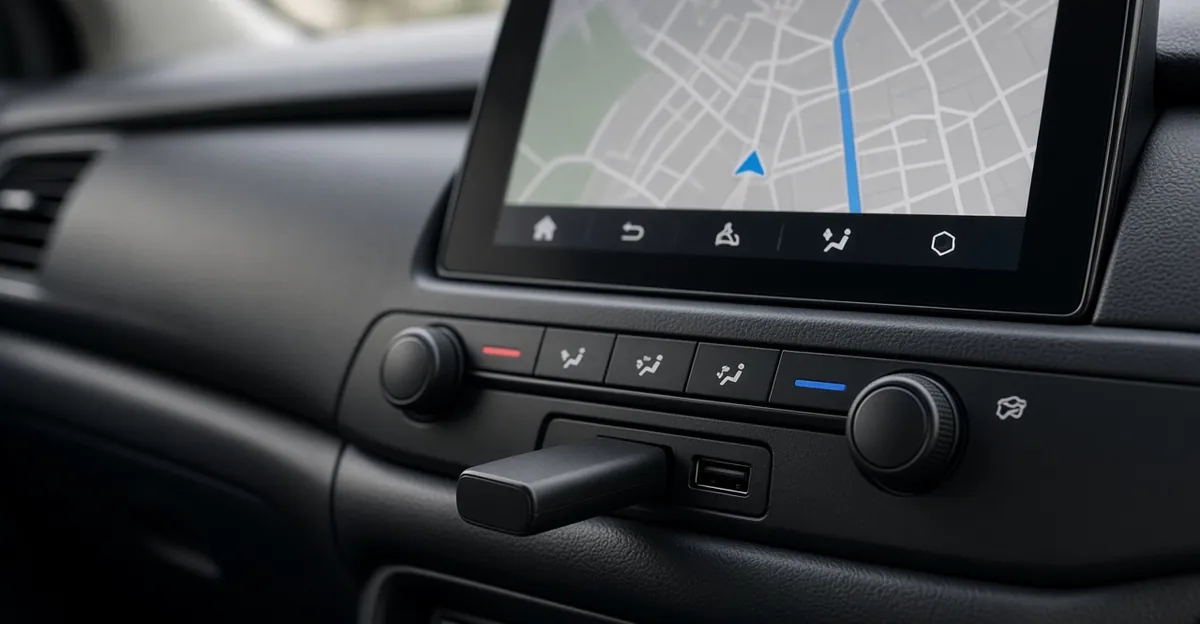
Does your car even need a wireless CarPlay adapter?
Start with the radio, not the Amazon title. Plug an iPhone into the CarPlay USB port with a known-good data cable. If CarPlay never appears, an adapter will not invent it. If CarPlay already connects with no cable, you already have wireless CarPlay and a dongle is a second radio fighting the first.
| What you have | First move | Adapter? |
|---|---|---|
| Factory wired CarPlay; you still plug in every drive | Buy a dual or CarPlay-capable dongle | Yes |
| Factory wired Android Auto only; no iPhone in the household | Buy a dedicated Android Auto dongle | Yes, Android-only |
| Factory wireless CarPlay already works | Leave it | No |
| Aftermarket stereo, no CarPlay icon | Shop a compatible head unit | No |
| BMW or Tesla named as incompatible on the listing | Do not force these ASINs | No |
| USB port that only charges | Find the data USB port, often marked or in a different cubby | Not until CarPlay works on a cable |
A CarPlay wireless adapter still uses the car’s USB power. It talks to the phone over Bluetooth, then shifts maps and audio onto Wi-Fi. AutoGuide’s 2026 adapter roundup makes the same gate: the dongle only bridges a head unit that already runs wired CarPlay or Android Auto. Apple’s CarPlay support pages describe wireless CarPlay as a car feature, not something a random USB gadget can bolt onto every dashboard.
Charge-only ports are a common miss. If a cable charges the phone but never launches CarPlay, you are in the wrong socket. Some cars hide the data port in the center console while the dash USB is power only. Confirm with the owner’s manual USB chapter, not with a second dongle.
Which wireless CarPlay adapter should you buy?
These three listings were for sale on Amazon US when this page was checked on 2026-11-13. As an Amazon Associate, we may earn from qualifying purchases. Confirm the live ASIN is the adapter, not a cable-only listing, and that your car still has factory wired CarPlay or wired Android Auto.
| Model | Amazon | Platforms | Best fit |
|---|---|---|---|
| Carlinkit 5.0 (2air) | B0GX96WJ4J | Wireless CarPlay and wireless Android Auto | Value dual adapter for mixed phones |
| OTTOCAST Mini Slim | B0H33G9F4Q | Dual 2-in-1; USB-A and USB-C cables in the box | Tiny dual dongle; remembers two phones |
| Motorola Sound MA1 | B09PQ95GY4 | Android Auto only | Android household; Google-licensed bridge |
The best CarPlay wireless adapter for a mixed household is the dual unit that reconnects on its own after one pairing. The best Apple CarPlay wireless adapter is still that dual dongle, not a streaming box, if the only job is CarPlay without a cable. iPhone-only cars can use either dual unit; they do not need the Motorola.
Carlinkit 5.0 — value dual adapter
The Carlinkit 5.0 listing describes a wired-to-wireless upgrade for OEM wired CarPlay and Android Auto, 10-second auto-connect, dual-band Wi-Fi, and online firmware updates. It claims iPhone 6 and newer on iOS 10 or higher, and Android 11 or higher. The page says it is not compatible with BMW or Tesla. Plug it into the car’s USB data port, then pair Bluetooth once. The listing’s own FAQ says it cannot add CarPlay to a car that never had wired CarPlay.
Carlinkit’s product FAQ on that page also says you switch phones by disabling Bluetooth and Wi-Fi on the current handset, then connecting the other. That is a mixed-household reality, not a bug in the copy. Firmware updates go through the adapter’s Wi-Fi and a browser address printed in the listing (192.168.50.100). Keep the phone’s Bluetooth and Wi-Fi on after pairing; the dongle is not an internet hotspot for the car.
Choose the 5.0 when price and a dual stack matter more than a thumbnail-sized puck. Skip it if you needed YouTube on the dash. That is an AI box, not this adapter.
OTTOCAST Mini Slim — compact dual dongle
The OTTOCAST Mini Slim listing titles a 2-in-1 CarPlay adapter and Android Auto adapter for factory wired systems. It names an A7S dual-core chip, 5 GHz Wi-Fi, Bluetooth 5.0, about a 5-second reconnect after the first pairing, and two remembered phones. The box includes Type-A and Type-C connectors. It also says not compatible with BMW or Tesla, and that a little warmth in use is normal.
Ottocast’s copy on that page is the compact-install story: small enough to leave in the USB port, factory steering-wheel buttons and Siri or Google still work, no extra app required for basic wireless CarPlay. Streaming apps such as YouTube and Netflix are not the job of this dongle.
Pick Mini Slim when USB-C cars and a tiny body matter, or when two phones share one car and you want the listing’s two-phone memory. Skip it if you only needed Android Auto and wanted Google’s own bridge; that is the MA1 below.
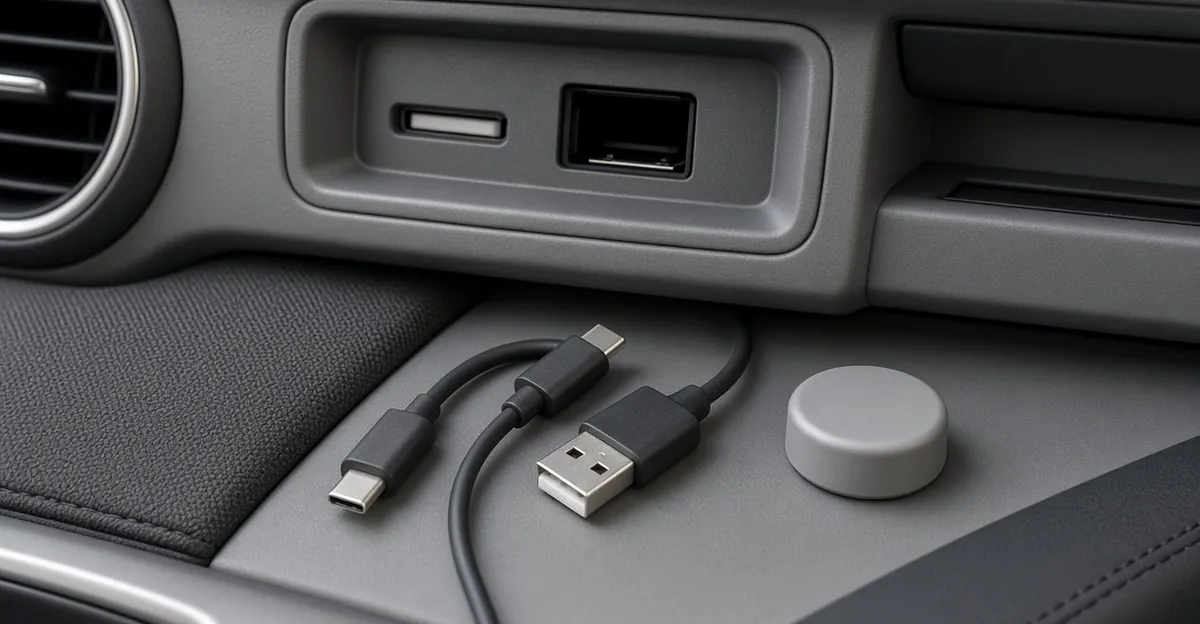
Wireless Android Auto adapter — marked section
A wireless Android Auto adapter is a separate decision from CarPlay, even when one dongle does both.
Use this sort:
| Phones in the car | Buy | Skip |
|---|---|---|
| iPhone and Android share the car | Carlinkit 5.0 or OTTOCAST Mini Slim | Motorola MA1 (no CarPlay) |
| Only Android, factory wired Android Auto | Motorola MA1, or a dual dongle if you might add an iPhone later | CarPlay-only marketing |
| Only iPhone | Either dual dongle | MA1 |
| Phone is Android 10 or older | Read the listing. MA1 and these dual units ask for Android 11+ | Guessing from a screenshot |
The best wireless Android Auto adapter for an Android-only household that wants Google’s licensed path is the Motorola Sound MA1. Motorola’s listing calls it the USB adapter that uses Google-licensed bridge technology for wireless Android Auto in cars, trucks, or motorcycles with factory-fitted wired Android Auto. It uses 5 GHz Wi-Fi, requires Android 11.0 or later plus the Android Auto app, and states it is not compatible with Apple phones and does not support Apple CarPlay. Motorola Sound’s own product page repeats the Google-licensed claim and names Mitsubishi as a known incompatible brand. Vehicle compatibility still depends on the automaker’s Android Auto implementation. The listing tells you to check with the vehicle manufacturer.
Setup on the MA1 listing is specific: plug into the Android Auto USB port, and when the red light flashes, press and hold the adapter button for 35 seconds until it blinks green, then pair the phone. That is not the same three-step Bluetooth list as Carlinkit. Read the card in the box. A gel pad is included to keep the puck from dangling on a short captive USB-A cable.
Dual adapters remain valid Android Auto hardware. They are not Google-authorized in the same way Motorola describes the MA1. If you want one stick that also covers an iPhone, stay on Carlinkit or Ottocast. If you want the Android-only puck with a physical phone-switch button, AutoGuide notes the MA1 can switch between two paired Android devices with a press. Confirm that button behavior on the live listing if two Android phones share the car.
Do not buy a CarPlay-to-Android converter expecting native Android Auto on a CarPlay-only radio. Those boxes emulate a different stack. This page shops wired-to-wireless on the same platform, not CarPlay-into-Android-Auto conversion.
How do you install so it reconnects tomorrow?
- Use the USB port that already launches wired CarPlay or Android Auto. A charge-only socket will power a light and do nothing else.
- Prefer the cable that matches the car: USB-A or USB-C. Ottocast Mini Slim includes both. Carlinkit 5.0’s in-stock listing we checked listed the adapter and a manual; confirm whether your carton includes a cable.
- Turn on Bluetooth and Wi-Fi on the phone. Pair the adapter’s Bluetooth name from the listing (Carlinkit mentions Autokit or VehiConn-style names on some batches; Ottocast uses its own). Wait for the factory CarPlay or Android Auto screen, not a new Android launcher.
- Leave the dongle in the port. The point is automatic reconnect when you start the car.
- Update firmware if the connection drops after a car or phone OS update. Carlinkit’s listing points at a local web page on the adapter network.
Keep Siri, Google Assistant, and steering-wheel controls as they were. If those die, you are usually in a charge port, a BMW/Tesla mismatch, or an aftermarket radio the dongle never supported.
Heat: both dual listings treat mild warmth as normal. Do not bury the puck under a rubber mat. Do not use a random USB charger in the house as a test harness unless the maker says so.
Legality and distraction: wireless CarPlay is still a screen in motion. Hands-free calling is the point. Streaming video boxes are how people watch a show in a parked EV. They are not required for maps. This page does not sell watching video while driving.
When should you not buy a wireless CarPlay adapter?
Skip these ASINs when:
- The car already has wireless CarPlay that works.
- Wired CarPlay never launches with a data cable. Fix the cable, the USB port, or the radio first.
- You drive a BMW or Tesla named as incompatible, or another car the seller’s fitment tool rejects.
- You wanted factory wireless from the dealer. That path is a software or module conversation with the automaker, not a USB dongle.
- You wanted YouTube on the dash. Buy an AI box on purpose, knowing it is extra software, extra heat, and a different legal/distraction problem.
- The only USB port you can reach is charge-only and you cannot get to the data port without tearing trim you will not put back.
- Local rules or workplace policy restrict in-car screens beyond navigation. An adapter does not change that.
A wireless dongle also keeps the phone’s radios busy. If you already fight Wi-Fi calling drops in the car, test a return window instead of assuming 5 GHz inside the cabin is free.
Quick pick guide
- Wired CarPlay, mixed iPhone and Android, value dual stick: Carlinkit 5.0 B0GX96WJ4J.
- Same job, tiny puck, USB-A and USB-C in the box: OTTOCAST Mini Slim B0H33G9F4Q.
- Android phones only, Google-licensed Android Auto bridge: Motorola MA1 B09PQ95GY4.
- No factory wired CarPlay or Android Auto: do not buy these adapters.
- Evidence camera, not navigation: best dash cam.
Match the platform to the phones that actually ride in the car. Plug into the data USB port. Pair once. If CarPlay never existed on a cable, an adapter will not create it.
FAQ
Will a wireless CarPlay adapter work if my car has no CarPlay at all?
No. These USB dongles convert factory wired CarPlay or wired Android Auto into a wireless connection. They cannot add CarPlay to a radio that never had it. If the head unit has no CarPlay icon when you plug in an iPhone with a data USB cable, shop a compatible aftermarket stereo instead of an adapter.
What is the difference between a CarPlay adapter and a wireless Android Auto adapter?
A dual CarPlay wireless adapter such as Carlinkit 5.0 or Ottocast Mini Slim handles both iPhone CarPlay and Android Auto. A dedicated wireless Android Auto adapter such as the Motorola MA1 is Google-licensed Android Auto only and does not support Apple CarPlay. Match the dongle to the phones that actually share the car.
Do wireless CarPlay adapters work with BMW or Tesla?
The Carlinkit 5.0 and Ottocast Mini Slim listings both say they are not compatible with BMW or Tesla. Those cars use different USB or infotainment paths. Confirm your year and the factory wired CarPlay note on the live listing before you buy.
Is a streaming AI box the same as a wireless CarPlay adapter?
No. A simple adapter keeps the factory CarPlay or Android Auto screens and steering-wheel controls. An AI box adds a separate Android system for YouTube or Netflix on the dash. That is a different product, extra heat, and extra distraction. Buy an adapter if you only wanted maps, calls, and music without a cable.